Fifteen screens. One markbook.
Grouped the way the app is: teaching, seeing the picture, running the grade.
Every screen here is the demo school. Every pupil in it is fictional.
Group one
Teaching, every day.
- Today
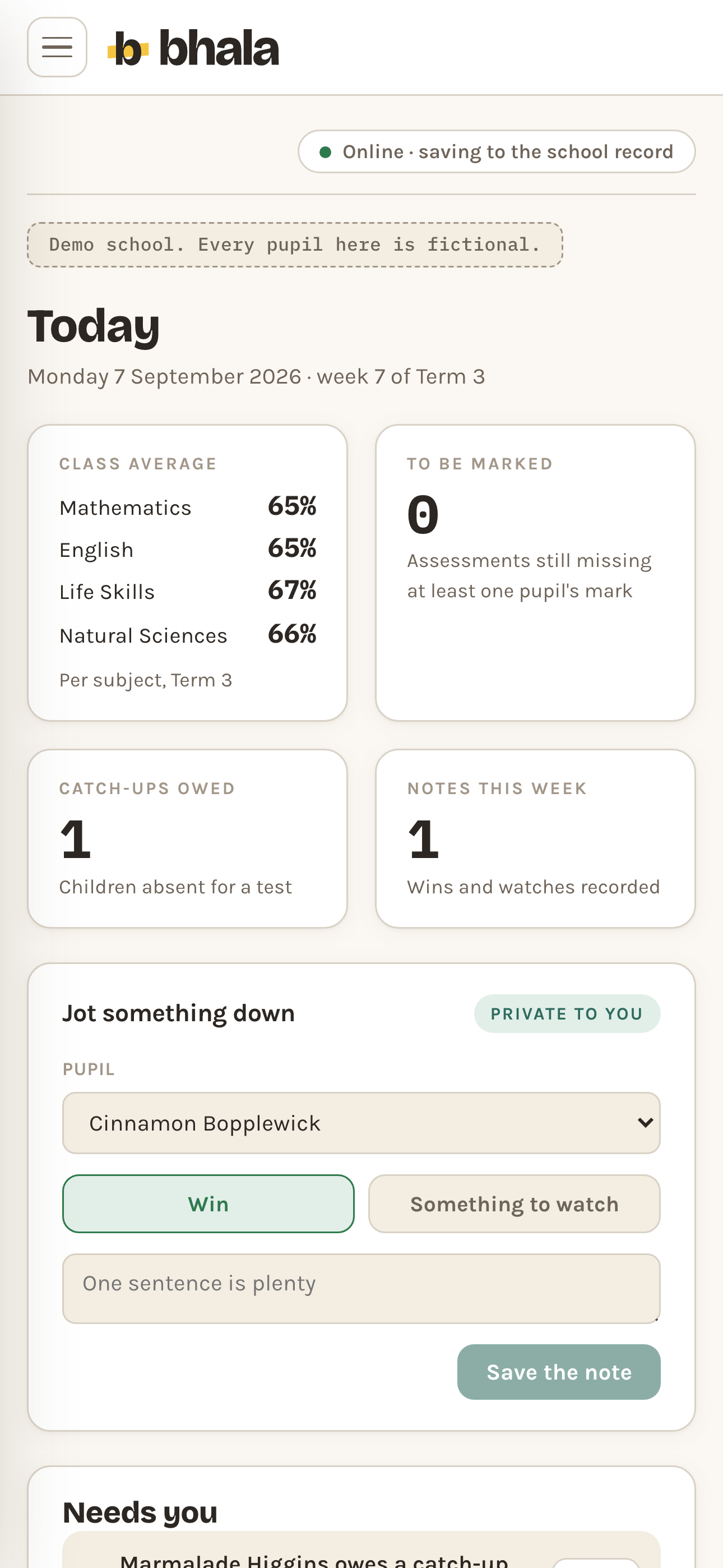
The date and the week of term, four tiles: class average per subject rather than one blended figure, marking still to do, catch-ups owed and notes this week, a private box to jot something down, and a Needs you list of who and what to look at first.
Today Demo data - My Class
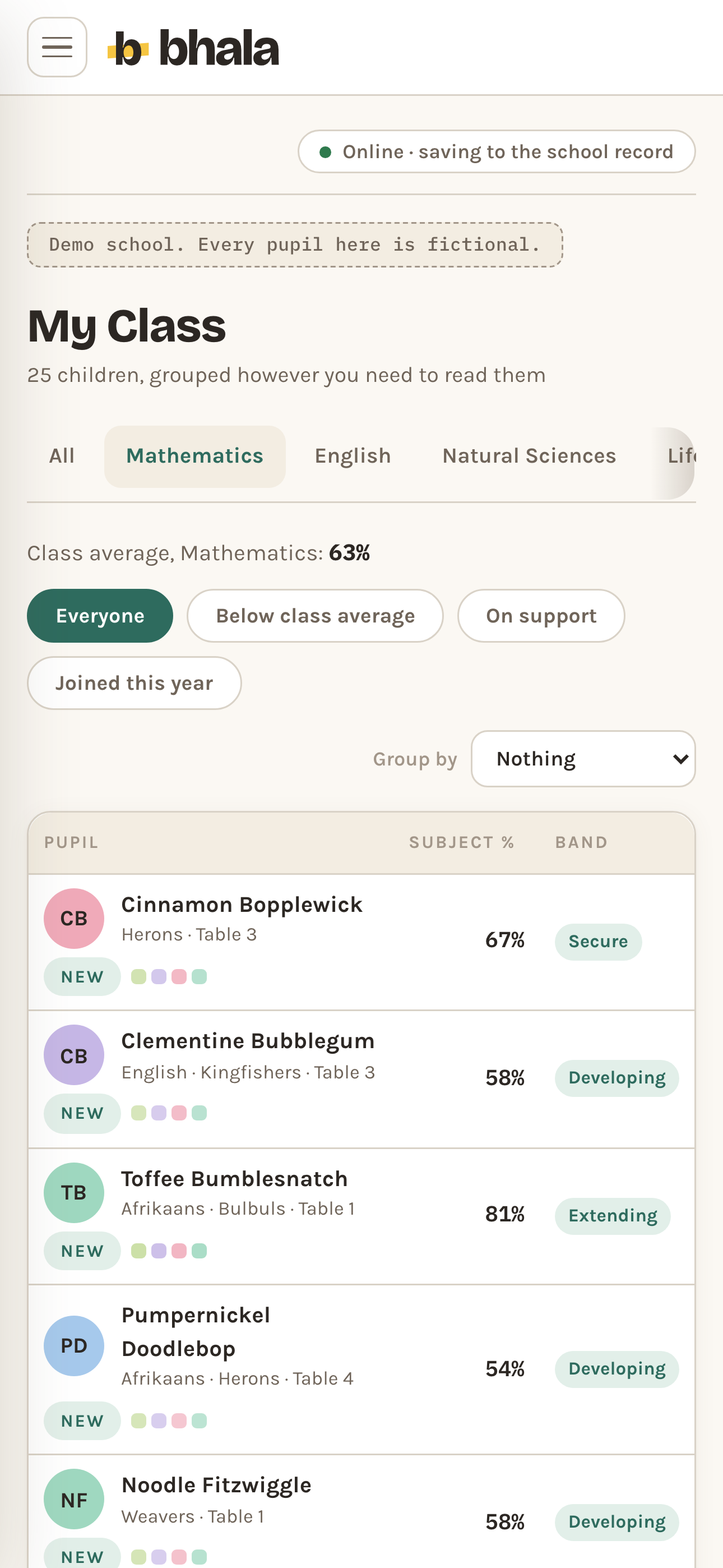
The current roster, plus a tab per subject: switch to one for that subject's class average and an Assessments table underneath, where any assessment can be removed in two steps and brought straight back. Open a pupil for their history across years.
My Class Demo data - Mark Entry
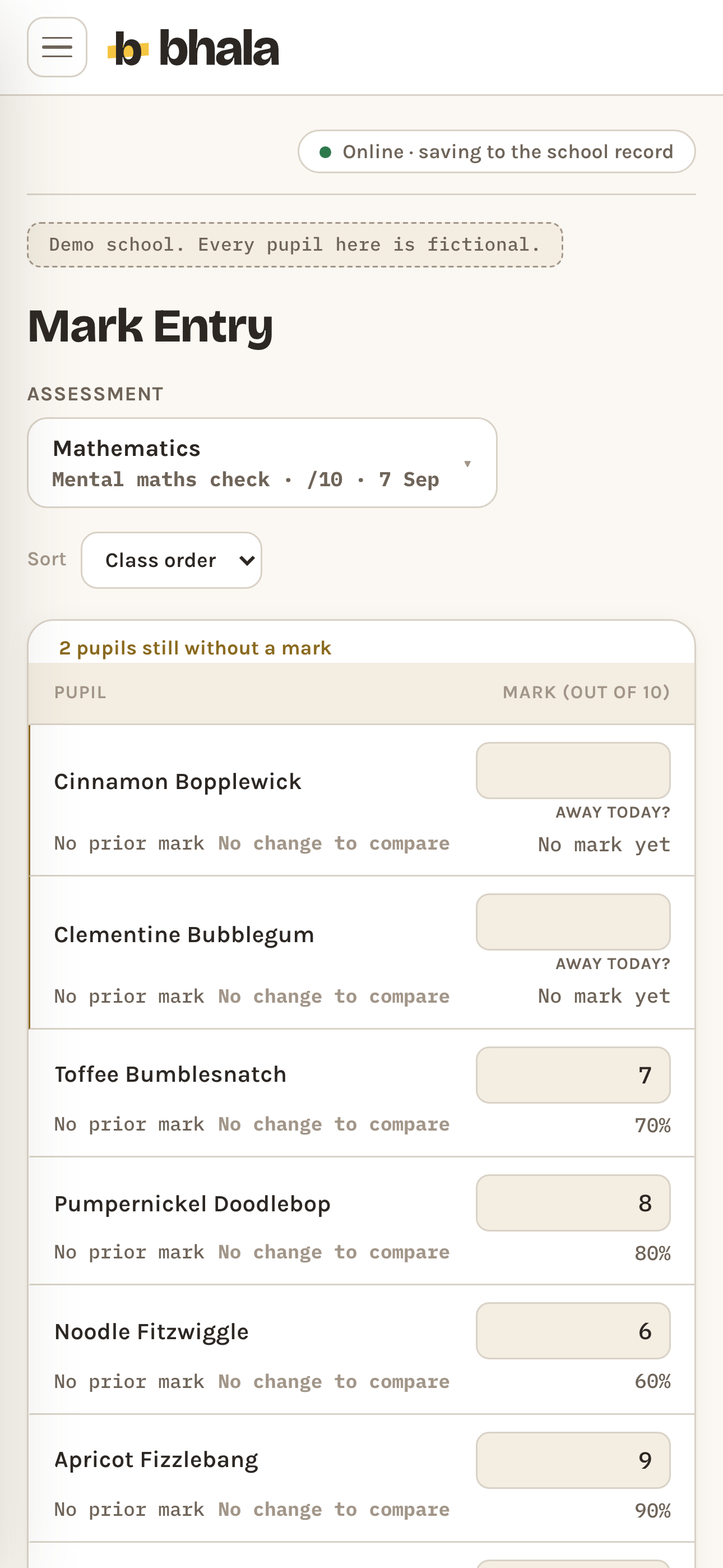
The grid, sorted by class order, first name or surname. One row per pupil, the mark typed in, and the change since their previous assessment in that strand. Away today? marks a pupil absent in one tap: owed as a catch-up, never scored as zero.
Mark Entry Demo data - Home Learning
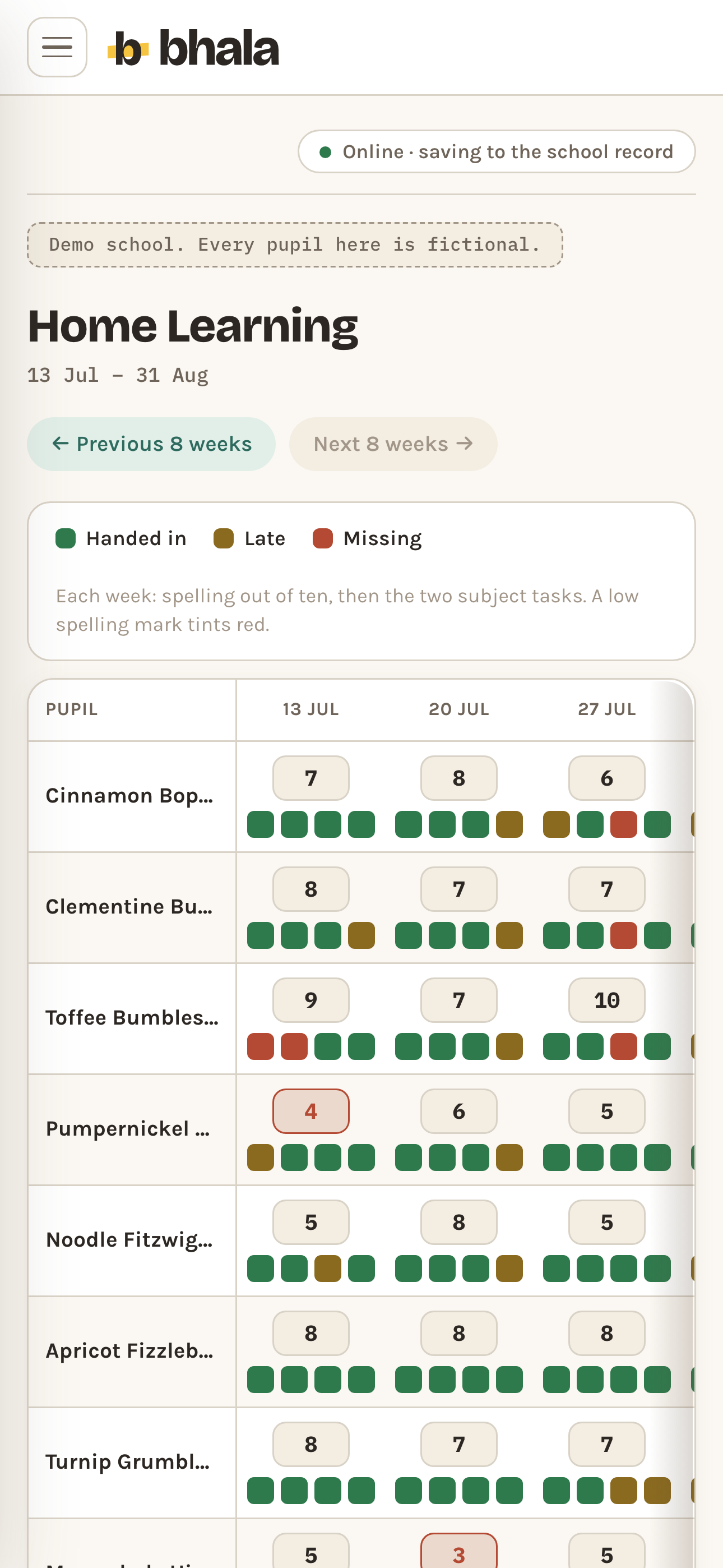
Eight weeks on one grid. Tap a task square for handed in, late or missing, and type the spelling mark out of ten.
Home Learning Demo data - Quick Checks
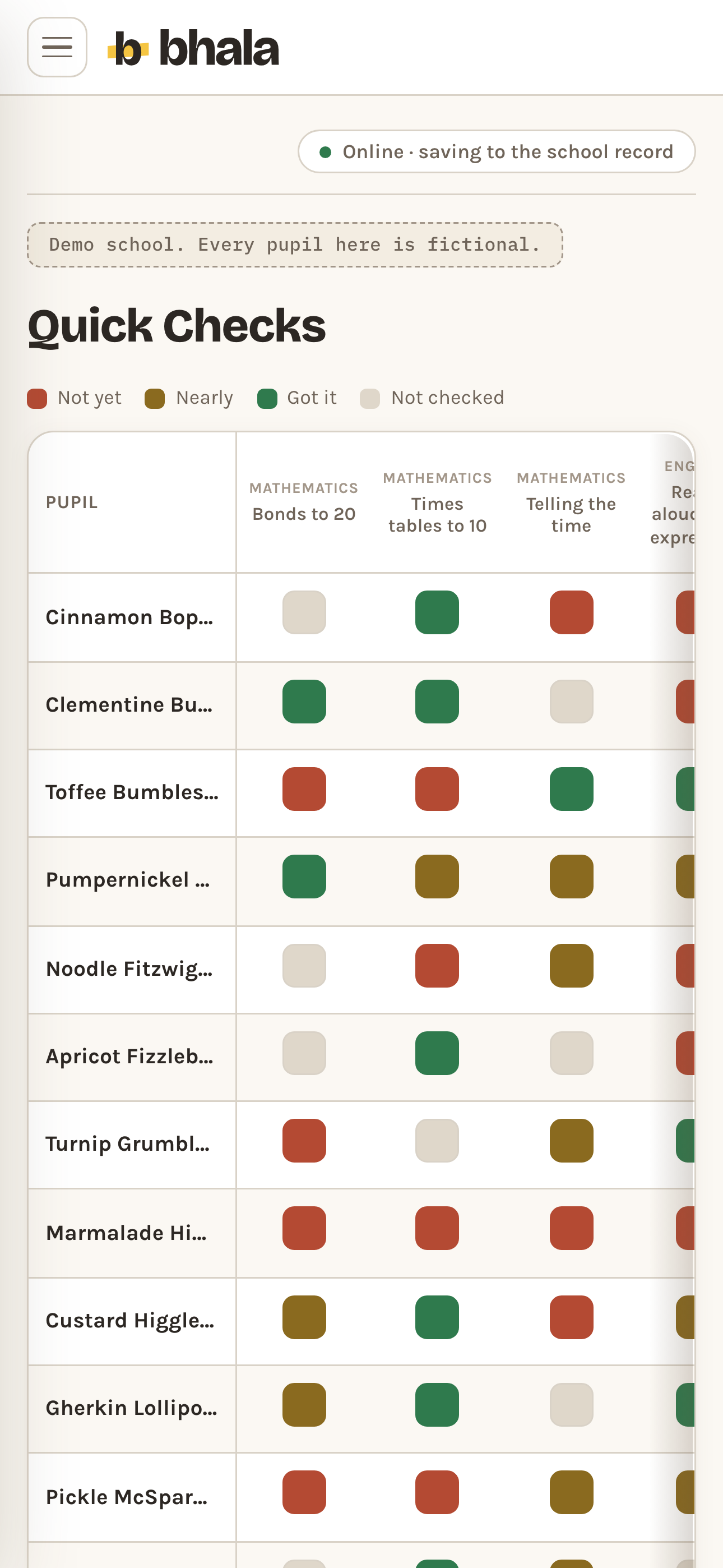
Pupils against skills. Tap to cycle not yet, nearly, got it, with a class percentage under every skill.
Quick Checks Demo data - Notes
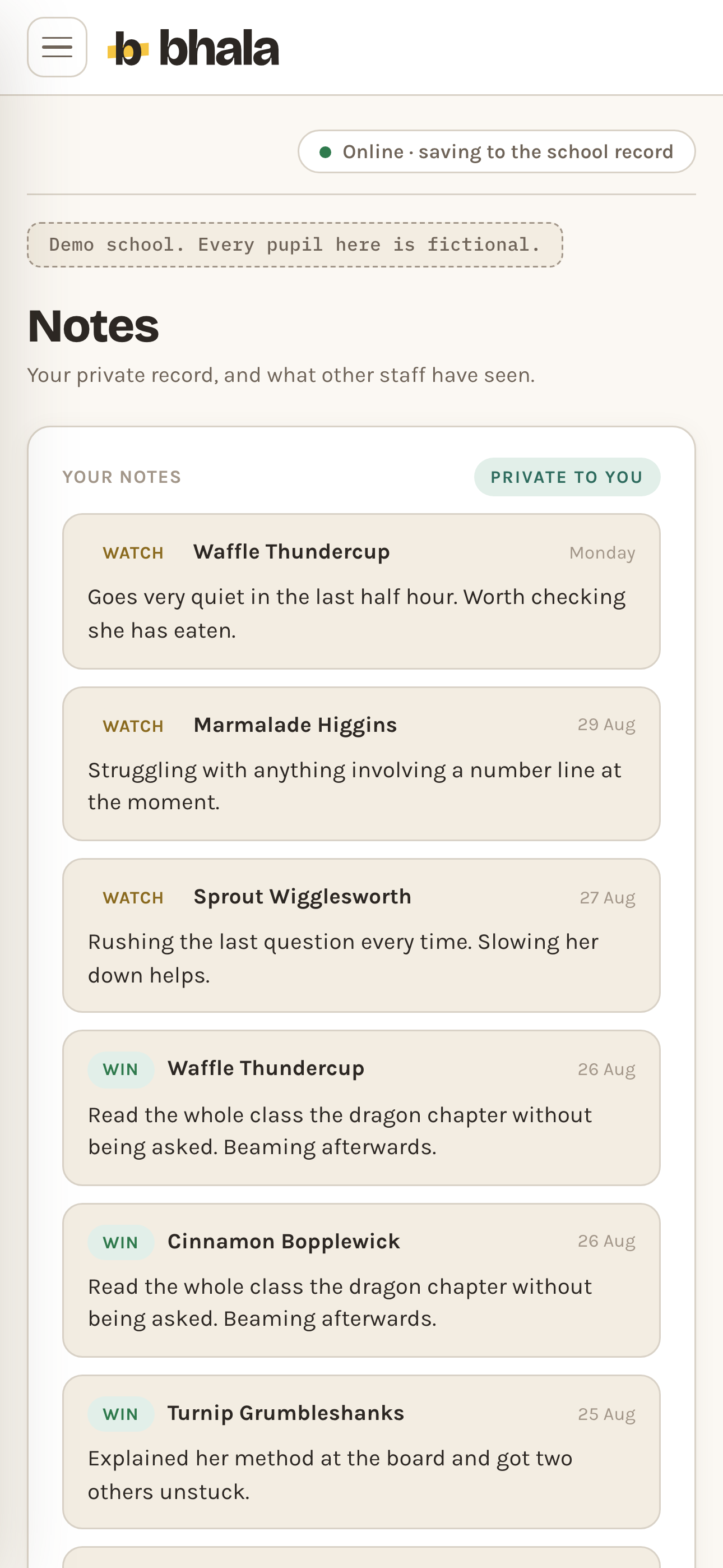
Your notes about your own class stay private to you, permanently. Notes from other staff follow the child.
Notes Demo data
Group two
Seeing the picture.
- Room to Improve
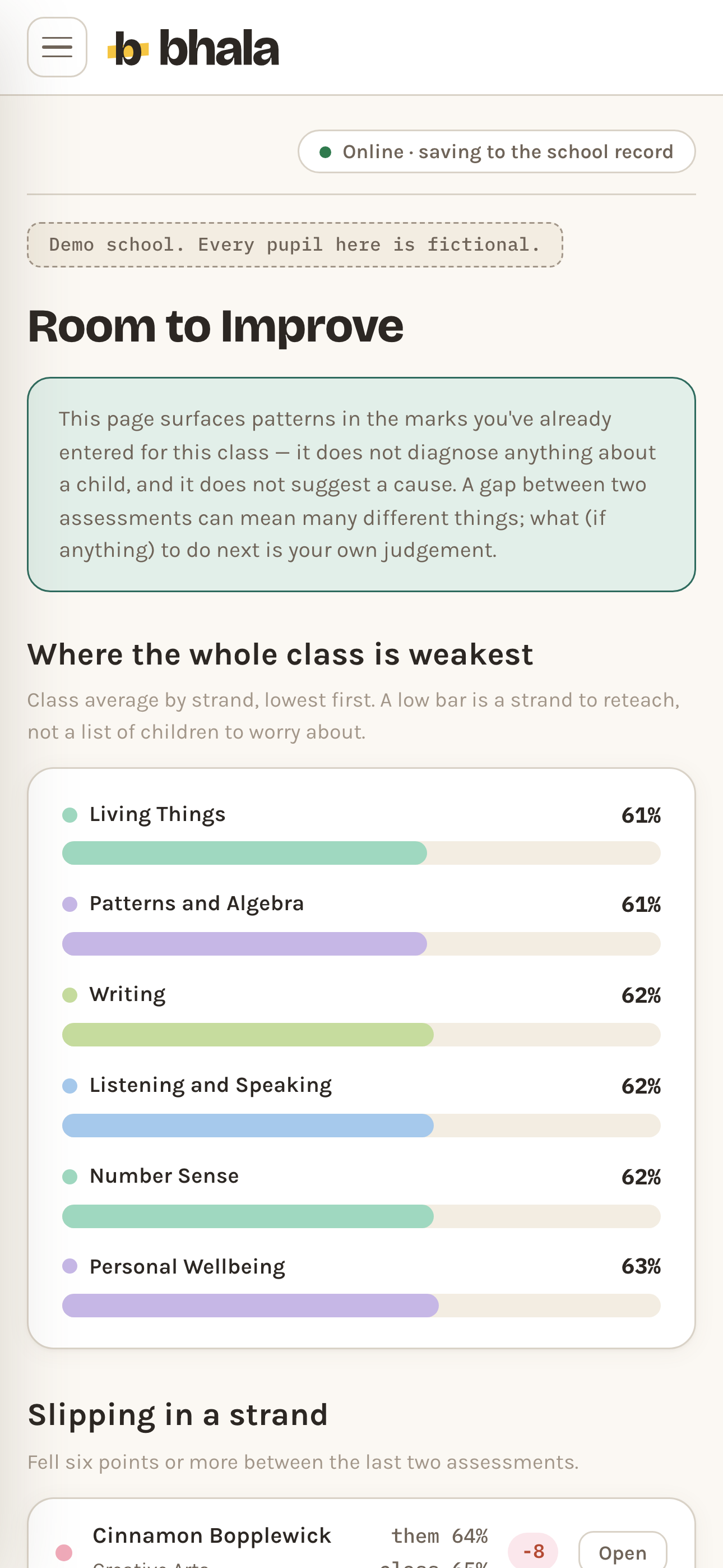
The six lowest strand averages, and the pupils who have dropped six points or more in a strand. Surfaced, never diagnosed.
Room to Improve Demo data - Pastoral
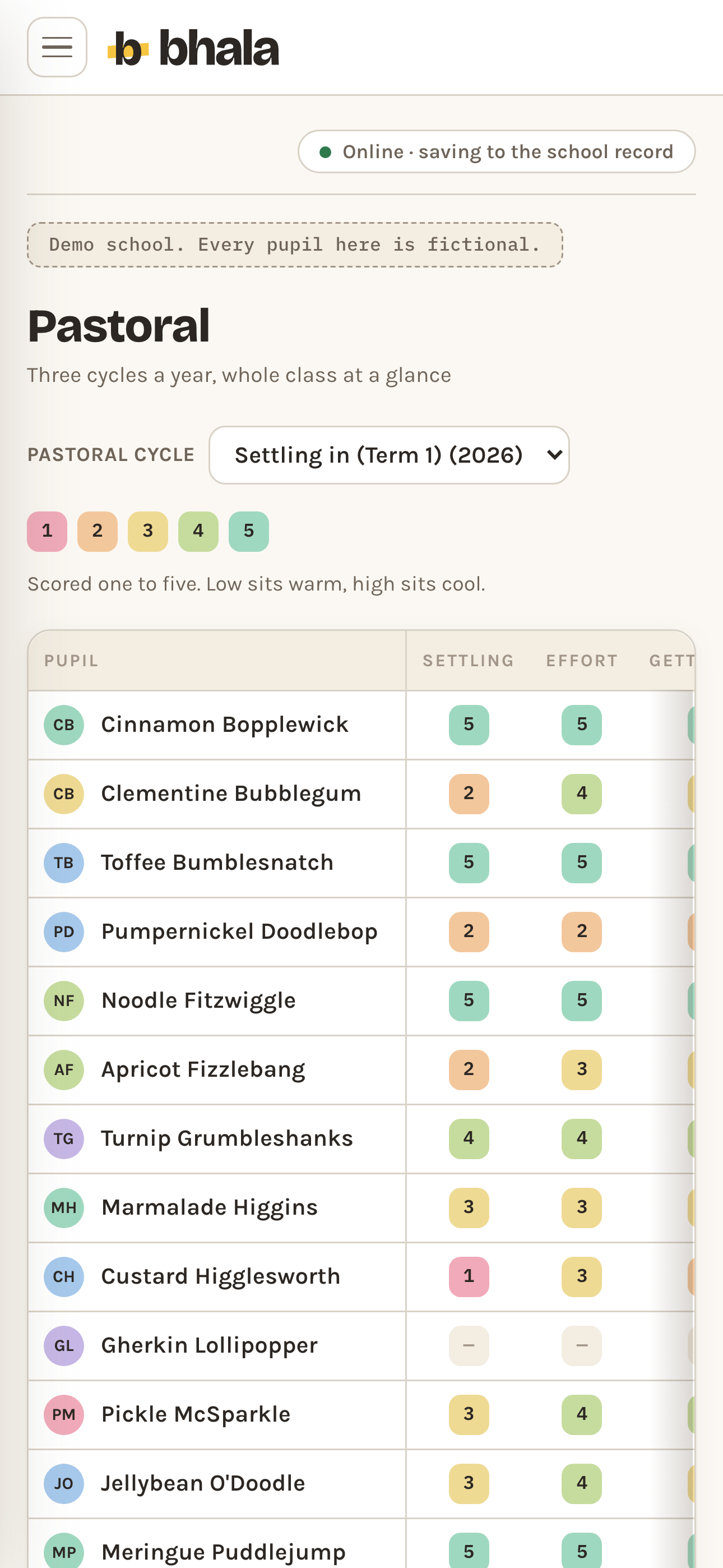
Three ratings for a pupil at a point in time: settling, effort and social, each one to five.
Pastoral Demo data - Parent Evening
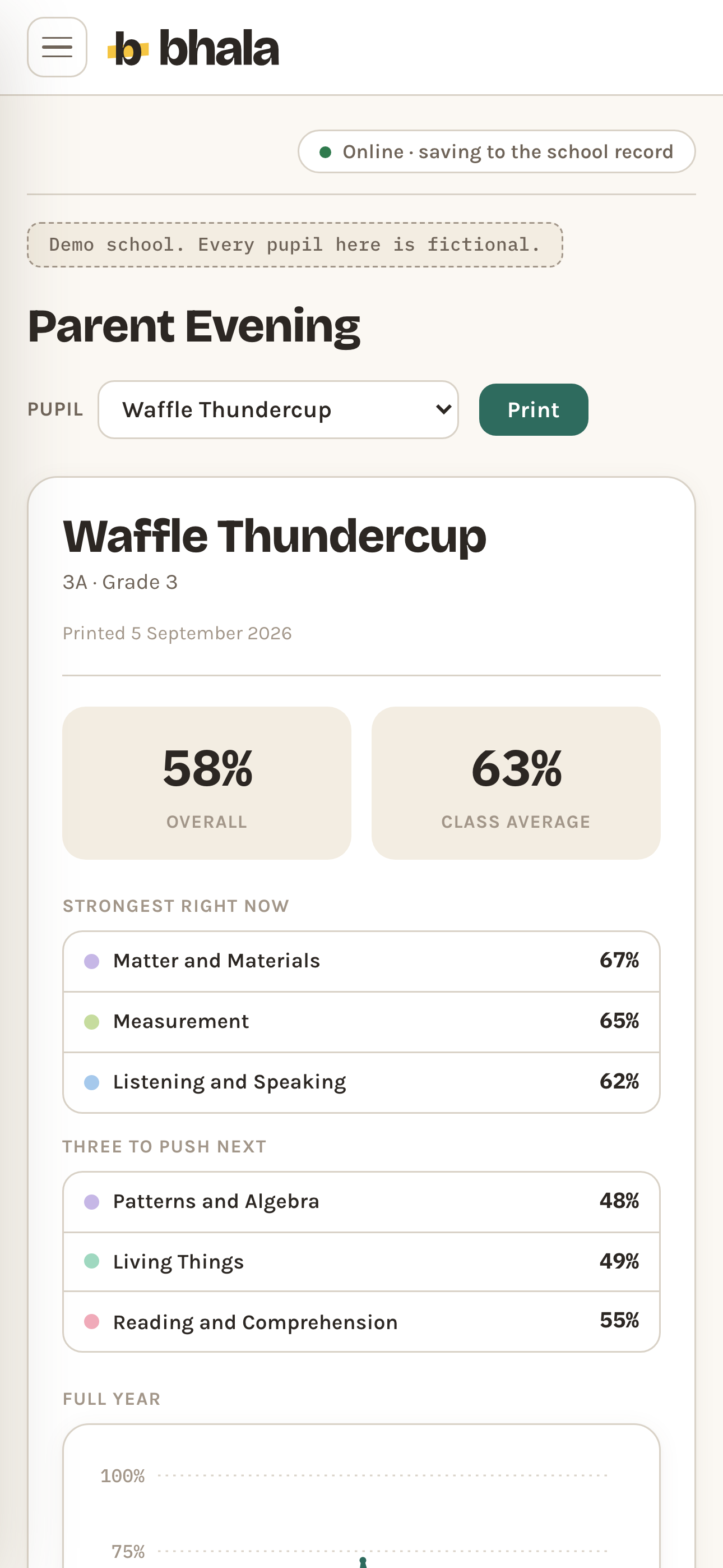
One printed page per pupil. Staff-only notes structurally cannot reach it.
Parent Evening Demo data - Reports
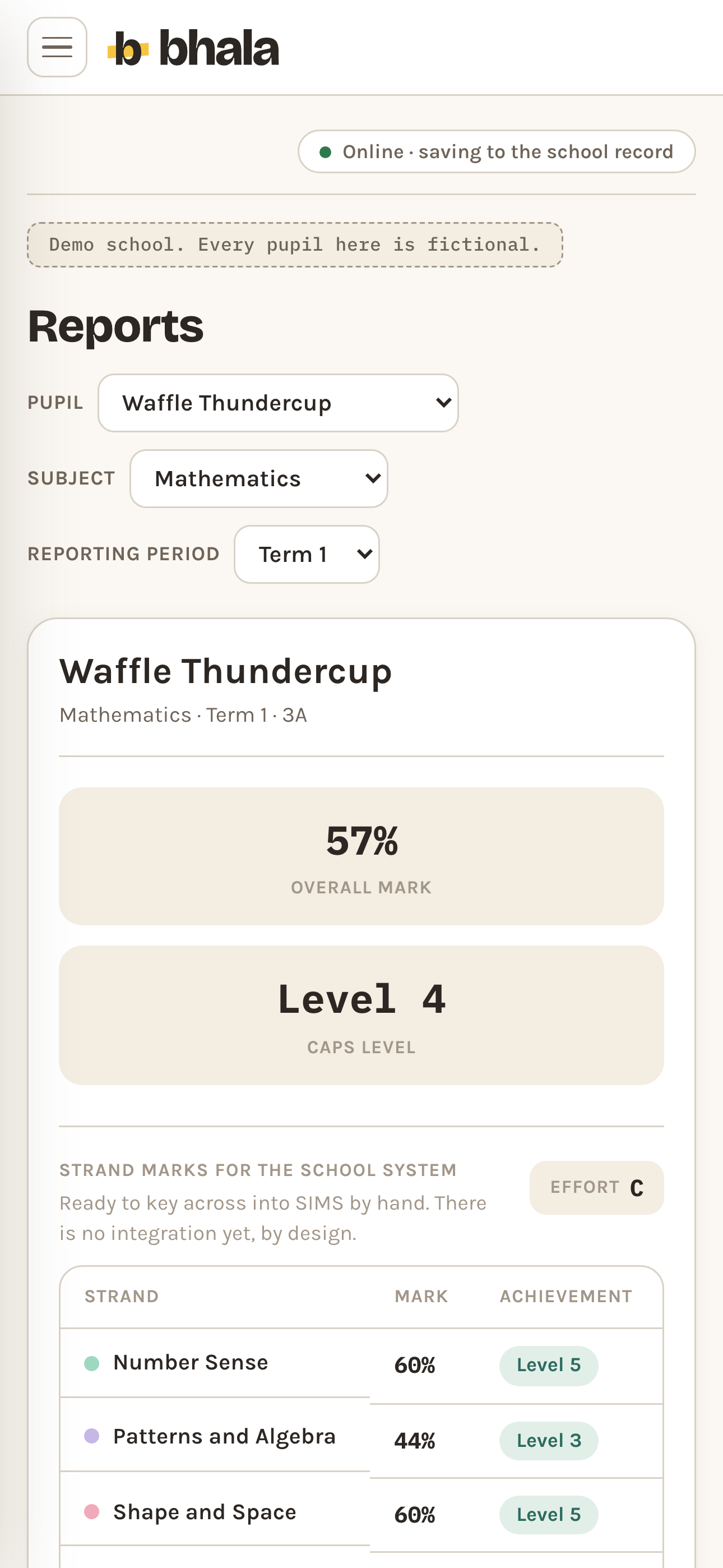
Drafts assembled from marks and notes in the school's phrasing. Rebuild, shorten, warm it.
Reports Demo data
Group three
Running the grade.
- Class Builder
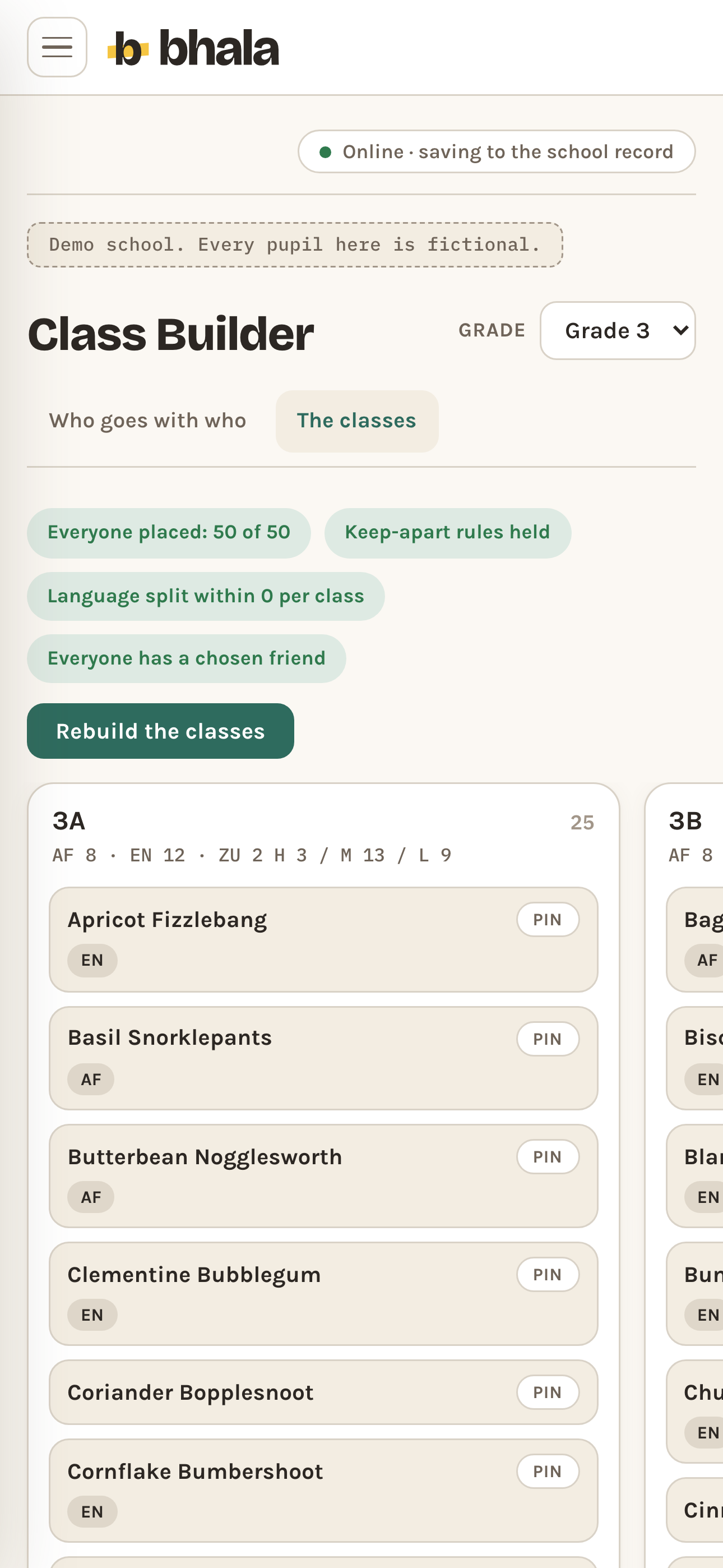
Next year's classes, with keep-aparts and language balance honoured as hard rules.
Class Builder Demo data - New Starters
Import a class list or a whole grade from a spreadsheet. Bhala flags duplicates and asks before it changes anything.
- Sharing
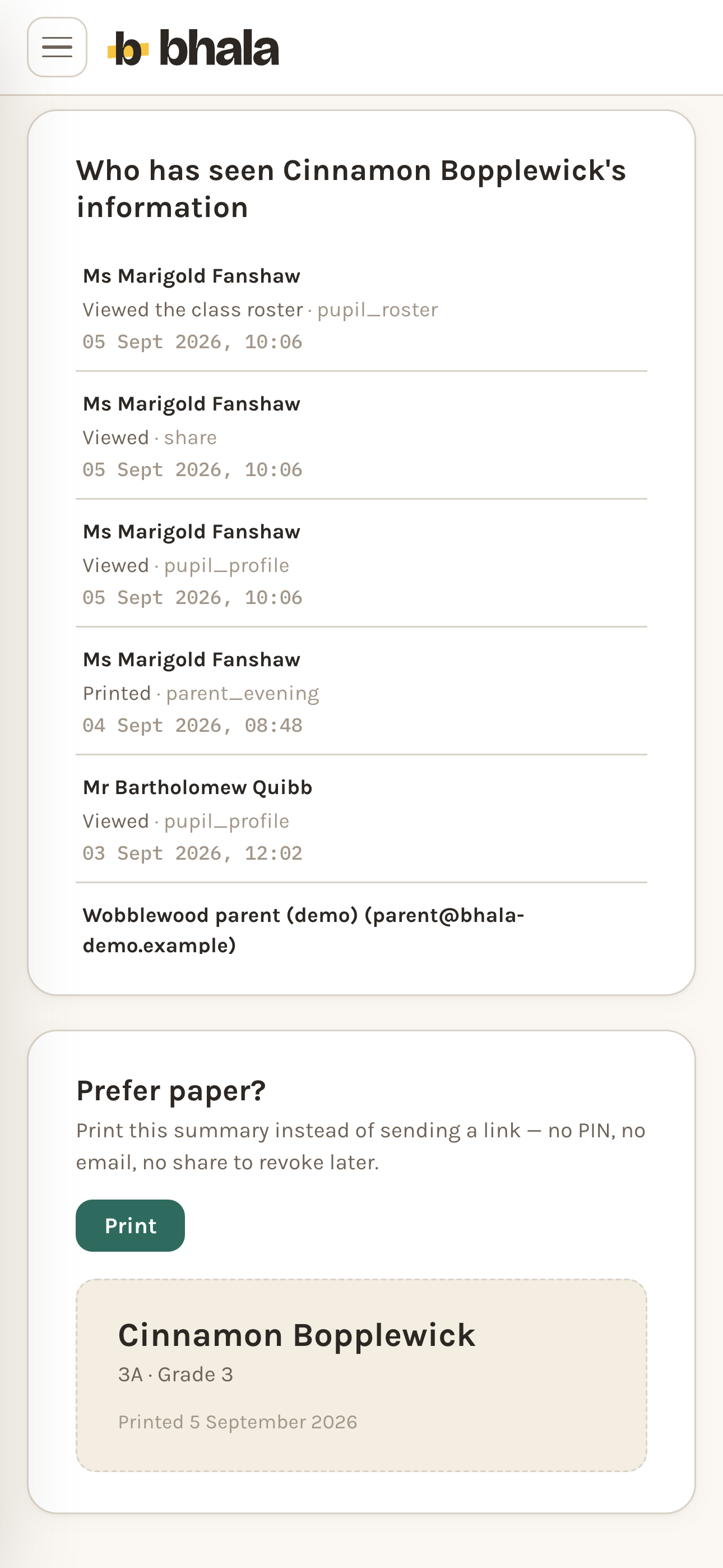
Parents see by PIN, exactly what you allow. Revoke in one tap, logged.
Access log Demo data - Archive
A pupil who has left drops off every roster and cannot be brought back. Their record stays, and staff with a grant can still add to it.
- Settings
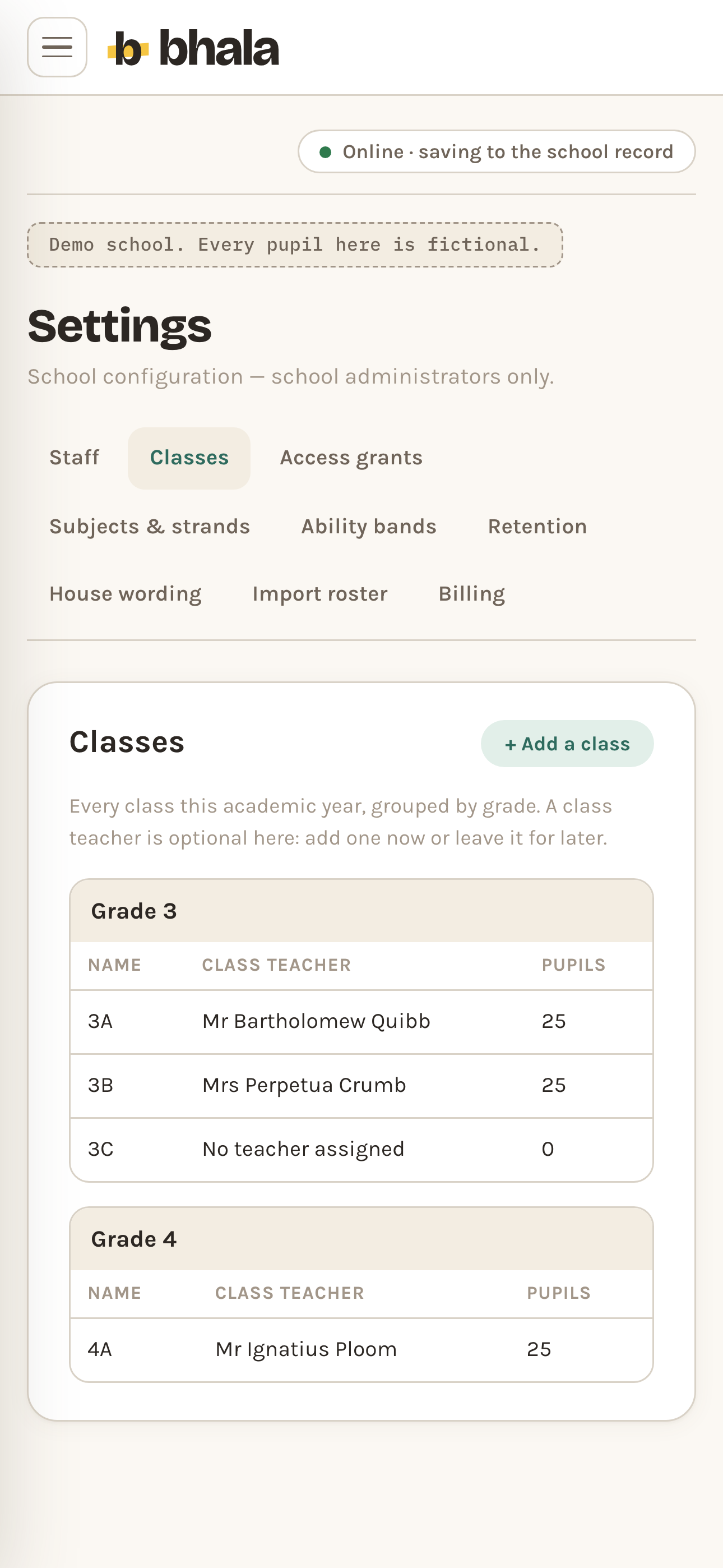
Classes, staff, access grants, house wording and retention, each on its own tab: add a class from the Classes tab, and retention can only be shortened.
Settings Demo data